Environments
The concept of environment
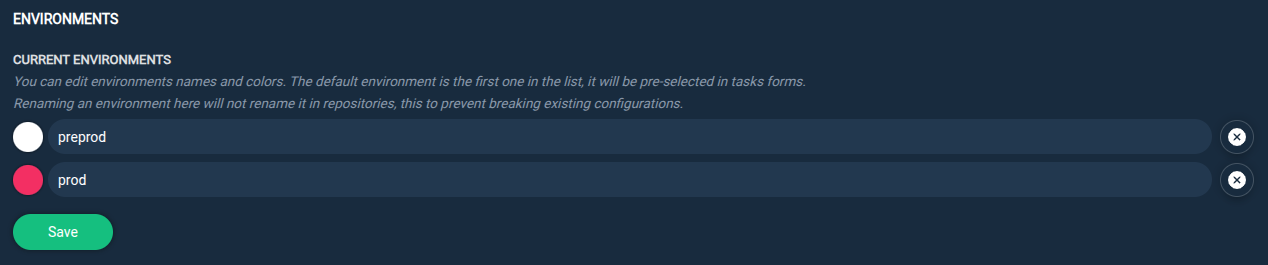
Environments are an important part of Repomanager as they define how repository snapshots are accessed by client hosts.
An example of a good practice is to create at least 2 environments:
preprodprod
Typically:
-
The
preprodenvironment will point to the most recent repository snapshots and ensure that pre-production client hosts can update their packages from these snapshots. As pre-production hosts, they are the first in line to test package updates and ensure they are not breaking anything before updating on production hosts. -
The
prodenvironment will point to the last stable repository snapshots and ensure that production client hosts cannot update their packages without them having been tested first by pre-production hosts. Once the package updates have been tested and validated, theprodenvironment can point to the same repository snapshots as thepreprodenvironment.
This is what the environments have been designed for: to test package updates on testing hosts before updating them on production hosts.
Info
There is no limit to the number of environments you can define but you must define at least one.
Create an environment
From the SETTINGS tab and the REPOSITORIES > ENVIRONMENTS section:
Step 1: Create a new environment by specifying its name and color.

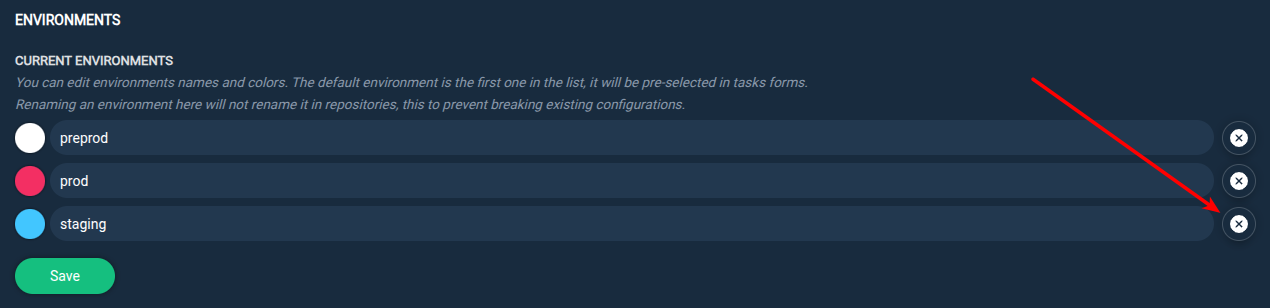
Delete an environment
From the SETTINGS tab and the REPOSITORIES > ENVIRONMENTS section:
Step 1: Use the Delete icon to delete an environment.
Info
Deleting an environment will not delete it from the repository snapshots it was pointing to (to avoid breaking client hosts' access).