Scheduling tasks
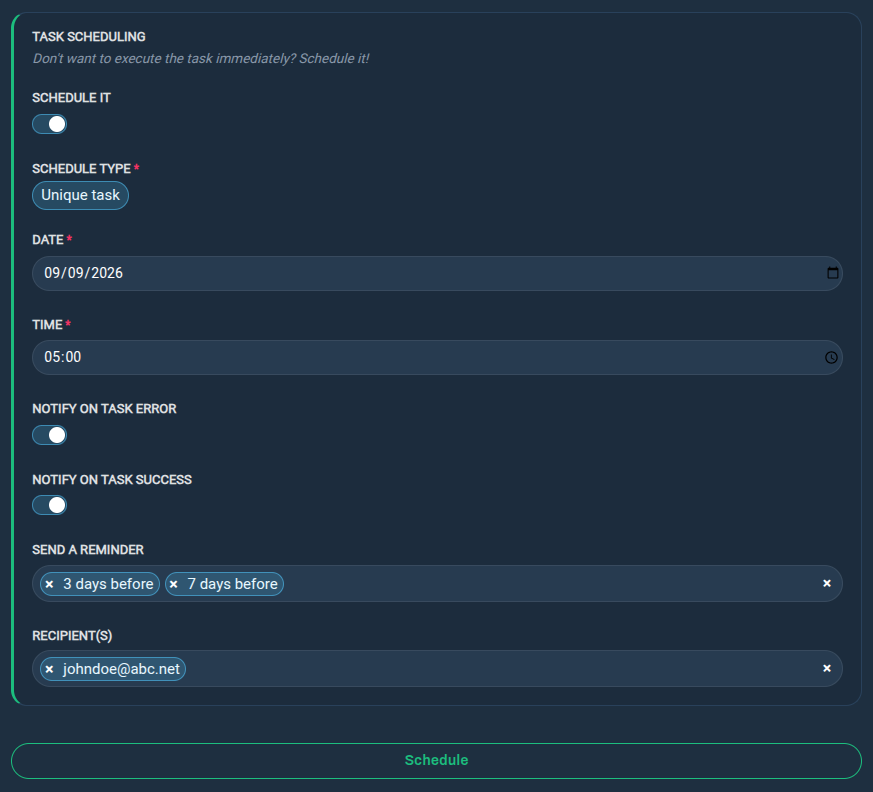
A scheduled task is essentially a normal task that is executed at a defined date and time instead of being executed immediately.
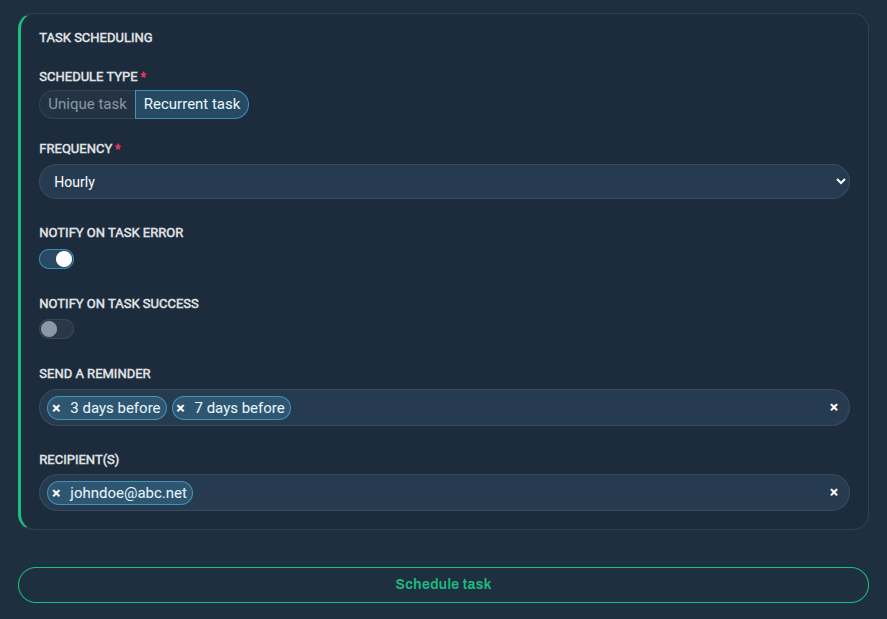
The task can either be a single unique task executed once at a defined date and time, or a recurring task executed at a defined frequency (hourly, daily, weekly, etc.).
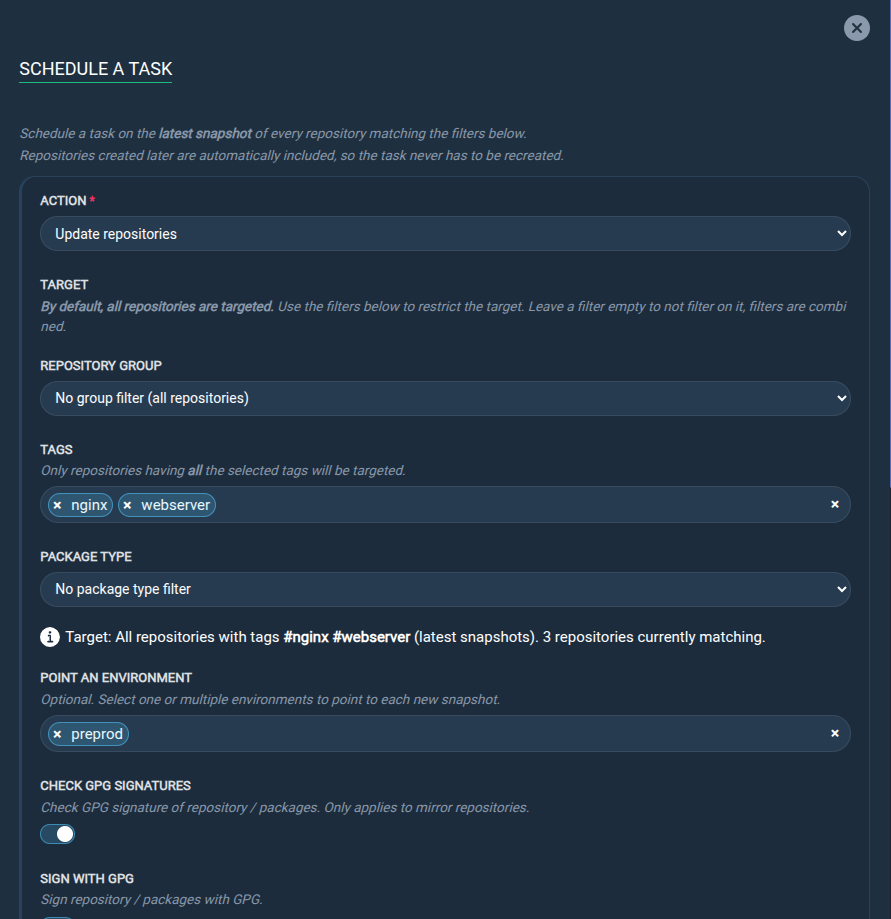
Since version 6.0.0, there are two ways to schedule tasks: either by directly selecting the target snapshots, or by creating a global scheduled task that targets the latest snapshots.
New scheduled task
From the REPOSITORIES tab:
Step 1: Either create a new repository using the Create a new repository button, or select an existing repository and click the task you want to execute.
Step 2: Specify the task parameters, then enable the Schedule it switch to define the scheduling parameters.
Step 3: Click the Schedule button to confirm the schedule.
Disable a scheduled task
Scheduled tasks can be temporarily disabled without being totally cancelled.
From the TASKS tab:
Step 1: Select the task(s) you want to disable.
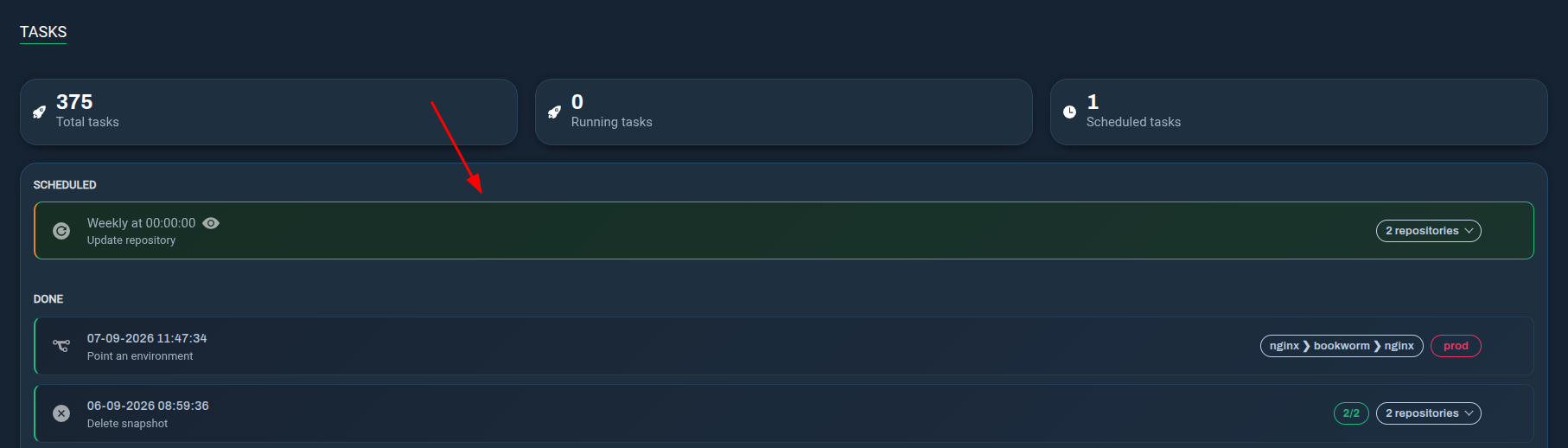
Step 2: Click the Disable button.
Cancel a scheduled task
Canceling a scheduled task will delete it and it will no longer be executed at the defined date and time.
From the TASKS tab:
Step 1: Select the task(s) you want to cancel.
Step 2: Click the Cancel and delete button.
Create a global scheduled task
Global scheduled tasks target the latest snapshots and are not tied to specific snapshots.
From the REPOSITORIES tab:
Step 1: Click the Scheduled a task button.

Step 2: Specify the action you want to execute, and filter by group, tags or package type if needed. Complete all the required fields and click the Schedule task button to confirm the schedule.